Wednesday, August 04, 2010

Computational Thinking, Programming…and the Google App Inventor – SmartBean


What were Papert’s views on children, computers and "powerful ideas”? Are they relevant today? Why should we introduce our kids to programming and how? Find out all the answers to these and more in this article - Computational Thinking, Programming…and the Google App Inventor that I recently co-authored with Charles Profitt, leader of the NY State Ubuntu Local Community.

(Incidentally my older son was at the Googleplex in Mountain View recently for a 3-week "Computational and Programming Experience" camp for 14-year olds that is designed with similar goals in mind..)

Saturday, March 27, 2010

Of iPhones, iPod Touches, Games and Mobile "Casual" Learning

With fresh inspiration from a course I just finished here at Stanford on "Casual Learning Technologies for the iPhone" in which we designed casual apps for kids and adults, I've authored a 2-part article for Smartbean. The first is a brief discussion of research on the power of learning through games (including Gee's principles on "good learning" with well-designed games) - Of iPhone Apps for Kids and Learning Through Gaming – I,
and the second part is a fairly exhaustive list of some of the best iPhone apps for kids (ages 3 - 13) categorized by subject (art, math, science, languages, puzzles, and such) - Of iPhone Apps for Kids and Learning through Gaming – II

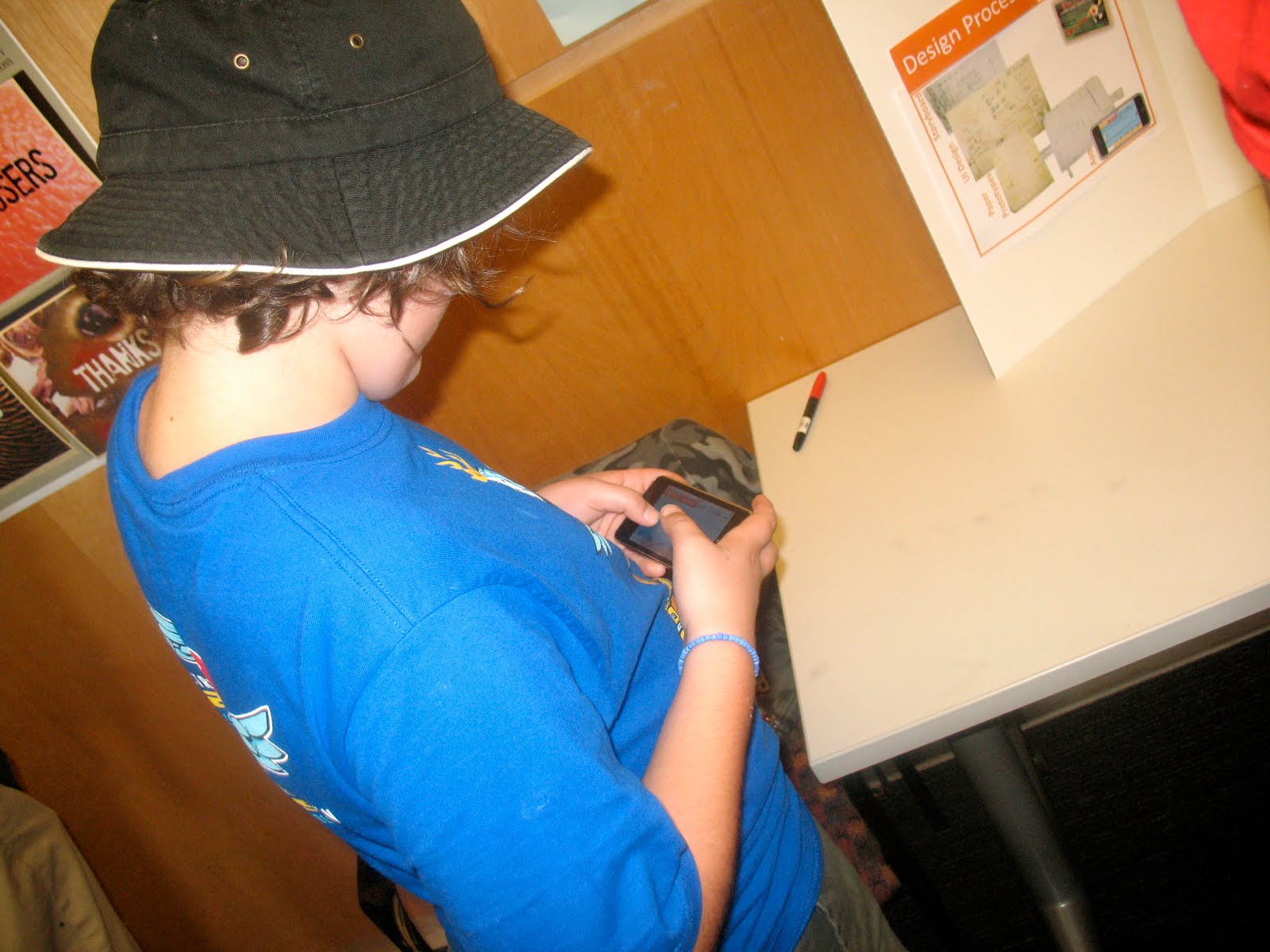
Back to my Stanford course on iPhone Apps for casual learning... I partnered with a couple of grad students to design and program an app to teach boolean logic while playing a fun robot shooter game; the only difference being that that our "guns" were logic gates, and the bit that the player had to shoot based on 2 random 1/0 input bits was the bit that matched the "rogue bot" moving towards the gate "gun". The idea was to select the right logic gate, to shoot the right bit, and get the bot before it got you.

The motivation for this app was the big push for STEM by the Obama administration and the belief that “computational reasoning is the core of all modern Science, Technology, Engineering and Mathematics (STEM) disciplines and is intrinsic to all other disciplines; it is a fundamental skill for everybody, not just for computer scientists. To reading, writing, and arithmetic, we should add computational thinking to every child's analytical ability.” (Jeannette Wing, Head of the Computer & Information Science and Engineering Directorate at National Science Foundation) So in a sense our app could be described as "STEM meets James Paul Gee." :)

The course was a pleasant deviation from my usual courses here at Stanford. I enjoyed programming the app, and the 2 guys from Apple who taught us to program for the iPhone were awesome! It was my most enjoyable course thus far; and the fact that the app received such positive feedback was just icing on the cake :) Here are some screenshots of the app and people playing with it...


Tuesday, March 23, 2010

Sparking Innovation…The Wallace & Gromit Way - SmartBean

Remember Wallace and Gromit in ‘A Grand Day Out’, and ‘The Curse of the Were Rabbit’, and Wallace’s ingenious gizmos that were so fascinating to watch? Those zany inventions became so popular with fans of W&G that creator Nick Park actually followed up his early movies with Cracking Contraptions – a series of ten Wallace and Gromit stop motion animations in which each episode featured one of Wallace’s new inventions and Gromit’s skeptical reaction to it. These “cracking contraptions” are as much a part of Nick Park’s valuable contributions to the world of clay animation (”claymation”) as the beloved man and dog duo and their adventures.

To read how parents and educators can inspire kids to be inventors and creative innovators, read the rest of the article at SmartBean.

Monday, March 22, 2010

Thirsty? Reach For The Tap

Thirsty? Reach For The Tap – SmartBean

That’s the message – loud and clear – in The Story of Bottled Water released today, March 22, 2010, which also happens to be World Water Day.
(Watch this amazing video on SmartBean)

Thursday, December 17, 2009

10 Ways To Help Your Child Embrace “Green Living”


10 Ways To Help Your Child Embrace “Green Living” – Part 1 – SmartBean

Well it's actually a list of 5 (since this is part 1), but 5 really simply but effective ways to help your kids, even little ones as young as 4 and 5, become conscious of their eco-footprint and environmental issues. Raising our kids to be "green" is indeed one of best things we could do for plant earth - "the only home we've ever known" (Quote from Carl Sagan's "Pale Blue Dot" video - linked in the article - it really hits the spot...).

Sunday, November 22, 2009

Parents Playing a Larger Role in K-12 Education – SmartBean

Parents Playing a Larger Role in K-12 Education – SmartBean

An interesting look at where things appear to be headed, especially in the US. If you are a parent actively involved in your child's learning, add your comment or write to SmartBean.

Sunday, November 15, 2009

Cross-posted on SmartBean - What are 21st Century Skills?

"21st-century skills", "21-century learning" "21st-century education", "21st-century learners"
... These phrases are all around us. They even feature as themes in the SmartBean Magazine and Resources. What do they mean? What's different in this century? Why are they necessary? Who decides what these are and how they should inform K-12 learning? SmartBean hopes to answer these questions briefly.

Saturday, November 14, 2009

Expanding the Technology Curriculum to Include Foundational Elements of Computer Science for K-8

[Cross-posted on SmartBean]

What started as a germ of a idea over a year ago in this post titled - The Ideal Technology/CS Curriculum for Middle School and caught the eye of ISTE's Anita McAnear, editor of Learning and Leading with Technology (L&L) and national program chair of NECC, has now appeared as a full length article in the November 2009 issue of L&L. (Yes, it does take that long for the submission, review, approval, editing, and final publication process at L&L. I first submitted the article in November 2008, it was approved in Jan 2009, sent to me for revisions in April 2009, final edited version sent to me for review in August 2009 with a promised publication date of November 2009!!) Thanks Anita, ISTE & L&L!

Computer Science Not Just For Big Kids


It is sad more than surprising that computer science, which has been a bona fide discipline for over half a century now, has found little to no space in K-12 curricula. As a result, most students go through their school years naively equating computer science to simply computers or computer programming. As the Dutch computer scientist Edsger Dijkstra said, “Computer science is no more about computers than astronomy is about telescopes.”

Computer science is the study of the theoretical foundations of information and computation. Given the amount of exposure students get to the science of the physical, living and non-living world, it does not make sense to completely ignore a science that governs much of the technology and the nature of the “form” in which we transact information on a day-to-day basis in our techno-saturated lives.

In addition to a basic understanding of the essential definition of what computer science is, students can and should also get exposure to some of the foundational elements of the science of computing which gel well with the broader goals of 21st-century learning. These elements include algorithmic thinking, Boolean logic, functional abstraction, and data organization and management. Problem-solving, critical thinking, and information organization and management can be reinforced through delving into these aspects of computer science. The wonderful thing is that most of these concepts of computer science build on mathematics, and some of them on school-level mathematics.

The advantage of this early exposure to the fundamental elements of computer science is that it will give high school students who opt for courses in programming a more solid foundation of algorithmic thinking and data structures—the basic nuts and bolts of the mechanics of computer programming. Additionally, it will give students a better sense of their own interest in this field, supported by a better understanding of the science itself.

Here are a few ways to incorporate these concepts into the curriculum.

Algorithmic Thinking

Simply put, an algorithm is a well- defined set of steps required to complete a task. It is essential to understanding how and why information technology systems work as they do.

Detailed task breakdown is an important aspect of algorithmic thinking. In my robotics workshops, I usually devote a session or two to algorithmic thinking before I introduce students to programming. One fun exercise involves writing a set of detailed steps in plain English to guide a blindfolded student partner to perform a certain task. I often weave ideas of exception handling, iterations, and conditional actions into this exercise. Writing “pseudo code” in this manner also helps expose students to an essential skill that programmers often employ when they embark on a new program that requires them to think through the algorithm before they start to code the program.

Fortunately, we have access to programming environments that make it easy for teachers to drive these ideas home. For example, Alice (www.alice.org) is an excellent tool to support the development of algorithmic thinking, as is Scratch from MIT Media Lab (scratch.mit.edu). The visual feedback that students get from Alice and Scratch allows them to relate the program to the action they see on the screen and helps them refine their programs, an essential part of problem solving and programming. Earlier environments such as LOGO also helped achieve those goals in addition to allowing children to easily experiment with ideas of repetition, functions and subroutines, parameter passing, and even recursion.

Algorithmic thinking helps students make that step from problem to program. This involves being able to define and state a problem clearly; break the problem into smaller, more manageable subproblems; and describe the solution in a well-defined set of steps. . This is an important skill that students can transfer to problem-solving situations in other subjects too.

Boolean Logic for Critical Thinking

Boolean logic (or Boolean algebra) is a form of symbolic logic that is the basis of the arithmetic of computers. George Boole’s pioneering work in this field was published in the book An Investigation of the Laws of Thought, which describes how the logic of human thought can be reduced to a few simple, general, logical “operations” (much like the basic operations of mathematics).

Students can be introduced to the idea of logic in language arts or mathematics. Premises, conditional sentences, denials, and drawing inferences from sets of everyday sentences can form a soft introduction to the idea of logic even before introducing symbols and operations. Here is an example:

If the Giants beat the Dodgers, then the Giants win the pennant.
If he is out, then the Giants beat the Dodgers.
He is out.

What is the conclusion?

The beauty of Boolean logic lies in the simplicity of its operations: and, or, and not. When I was first exposed to the ideas of symbolic logic, I remember thinking that this was a mighty useful way for people of any age to learn how to think and argue logically as well as to find fallacies not only in political arguments but also in day-to-day arguments with parents, siblings, friends, and peers. This could certainly be one way to teach children to think critically and analytically.

Data Structures and Databases

Data structures go hand in hand with algorithms as an essential aspect of programming. Simply put, data is the stuff that is manipulated or worked on by operations and expressions in a program. To enable this process of manipulation, computer scientists organize this data in structures known as arrays, lists, trees, tables, stacks, queues and “heaps.” A database, similarly, is an organized collection of data, usually stored as records in tables.

Fortunately, we have access to spreadsheet software such as Microsoft Excel and database management software such as Microsoft Access that could be used to introduce students to the fundamentals of data structures for organization and management. Free or low-cost alternatives of such software are also available.

Spreadsheets can teach students how to organize data in simple, intuitive ways for easy access and retrieval. Children should be encouraged to use spreadsheets often and for a variety of data-organization tasks. For example, students could list and organize websites they visit for a school project or while researching a topic. Have students add keywords or tags to another column in the spreadsheet. They can organize the website data in separate worksheets for different units in a subject so that the organization helps delineate data that doesn’t necessarily belong together while still keeping related materials together. Spreadsheets can also be used for storing and organizing data for planning field trips or events, or for data collected in science or social studies projects. Google Spreadsheets allow several students to work on the same spreadsheet.

Teachers should also use spreadsheets to introduce students to the idea of sorting and ordering data. When does it make sense to sort or order data, and when is unordered data just as useable? Will sorting help future storage and retrieval? If so, how should the data be sorted? Such questions will get students thinking about the basics of organizing data in ways that make manipulation easy.

Students in middle school who have been exposed to spreadsheets could graduate to databases with a database management tool like Microsoft Access. Through the process of database design, students learn to analyze the information they are working with and identify the underlying dimensions of the content to organize it for meaningful search and retrieval. They learn to identify relationships between different types of data. Through the act of simple database querying, students can bring to bear their knowledge of Boolean logic and constructs such as and, or, and not while getting a sense of how the process of Internet search is conducted.

Teachers can get their students to engage in simple projects with clearly defined goals. A database that helps retrieve children’s books in the library by genre is one example. Such a project would require students to analyze the nature or elements of the data to be organized, design the database, populate the tables with data, and, finally, formulate and run simple queries. Database design also helps students build analytical, critical-thinking, and problem-solving skills.

At a time when we all grapple with a surfeit of data and information, being able to classify and organize it for sense-making as well as easy and intuitive access and retrieval is certainly a skill that children of this Information Age should develop early in school.

All three skills and concepts described above—algorithmic thinking, Boolean logic, and data structures— could be easily integrated into the elementary and middle school math, language arts, social studies, science, and technology curriculum, and would work well to expose students to a few basic ideas of the “science of computing.”
Shuchi Grover is an educational technologist with graduate degrees in computer science and education. An alumnus of Harvard University, she is currently pursuing a PhD in the Learning Sciences and Technology Design Program at Stanford University.

Reprinted with permission from Learning & Leading with Technology, November 2009, Vol. 37 No. 3; Copyright 2009, ISTE (International Society for Technology in Education).iste@iste.org, www.iste.org. All rights reserved.


Kids programming environments mentioned in the article:

Wednesday, November 04, 2009

Recommended Reading for Teens/Young Adults (Ages 13 & up)

Recommended Reading for Young Adults (Ages 13 & up)

Great compilation of 101 books recommended for teen/young adult readers. Recommended for SAT/college prep, and great novels for adults too!

Thursday, October 29, 2009

Idle Mind A Devil’s Workshop? Au Contraire!

[Cross posted on SmartBean - Idle Mind A Devil’s Workshop? Au Contraire! – SmartBean]

Ever wonder why Archimedes got his “a-ha” moment while lounging in his bathtub? Or why Newton unraveled the secrets of gravity while daydreaming under an apple tree? If recent research is to be believed, it may well be because the wandering mind is fertile ground for creative problem solving!

The findings of a couple of separate studies (finally) legitimize the preoccupation of choice for most of the human race – good old fashioned daydreaming. These studies focus on the type of activity that goes on in the brain during mental drift – a cognitive state that can occupy as much as one third of our waking lives.

“Mind-Wandering (or, mental wandering, wandering mind, drifting, daydreaming) is a cognitive phenomenon in the brain wherein one’s attention becomes distracted from the task at hand and one’s mind strays into unrelated thoughts, often for long periods of time. Thoughts can include reliving or regrets about the past, fantasizing or worrying about the future, or simply enjoying imaginary moments away from whatever task one is supposed to be carrying out.” (Source: Neuro-sculpting.com)

One study reveals that when the mind drifts, the temporal lobes — which are associated with processing long-term memories — become busier. So when one floats off into a reverie, there’s some important data-storage work going on. Another study has reached an even more interesting conclusion – that the idling mind is likely doing deeply creative work, tackling hairiest long-term problems. This theory is supported by scans that have found that the wandering mind utilizes the prefrontal cortex, the part of the brain that’s involved in problem-solving.

So the next time you’re struggling to solve a complicated problem, you might be better off switching to a simpler task and letting your mind wander. And if you find your child indulging in some unfettered mind wandering, refrain from the usual “don’t just sit there daydreaming, DO something!” Who knows, that brain might just be addressing some knotty big-ticket issues. :)

[See the referenced articles at: http://www.sciencedaily.com/releases/2009/05/090511180702.htm and http://www.wired.com/magazine/2009/10/st_thompson]

Saturday, October 24, 2009

10 Reasons Your Child Will Love Astronomy

10 Reasons Your Child Will Love Astronomy – SmartBean

2009 is the International Year of Astronomy and marks the 400th anniversary of Galileo’s first use of a telescope. From October 22-24, the Galilean Nights Project is sponsoring events around the world to encourage amateur and professional astronomers along with the general public to point their telescopes to the objects that Galileo observed.

In parallel celebration, SmartBean offers 10 reasons why your child will love to learn about astronomy. An awesome post with links to fantastic resources (and great pictures too!).

Thursday, October 22, 2009

I Lego NY – Simplicity, Inspiration and Constructionism – SmartBean

I Lego NY – Simplicity, Inspiration and Constructionism – SmartBean

"Although Lego dutifully sells a plethora of kits accompanied by detailed instructions for creation of specific and intended objects, which are becoming increasingly big - in size and complexity, the greatest benefit perhaps is to be derived from allowing children to be completely unburdened and simply indulge in open-ended and free format creation and construction. The result would most likely be experimentation that draws from the world around the child in what the experts call "constructivism" and "constructionism". Like these incredibly simple, creative and cute artifacts."

Friday, October 16, 2009

Introducing your Child to Linux and other FOSS tools

Introducing your Child to Linux - SmartBean

The Linux operating system offers an excellent learning opportunity for children, whether for educational software and games, programming, or general computer skills. Charles Profitt, a K-12 systems administrator, shares the nuts and bolts of introducing kids to Linux, Ubuntu, Edubuntu and other exciting FOSS tools. His guidelines for the why, what and how of getting going with Linux and open source computing at home are lucid and helpful.

Wednesday, October 14, 2009

Wednesday, October 07, 2009

Redefining "Success" to Raise Healthier, Happier Kids ? SmartBean

Redefining "Success" to Raise Healthier, Happier Kids - SmartBean

This is such an important issue that parents in India need to give some attention and thought to...Kids 13 and up are stressed out and burned out by the time finish their 12th grade exams and college entrance exams. Their lives for those 5 years is a blur of books and tutors, and extra classes and tests and exam prep. Help kids reclaim the joys of their teen years. Their health and happiness is at stake...this madness must stop!

Sunday, October 04, 2009

The Google Internet Bus Reaches Hindi Speaking States

After its successful tour of South India, the Google Internet Bus is now touring small towns in the Hindi heartland of India.